Why Google Is Not Crawling Your Website: Common Crawlability Issues
Getting your website ranked on Google starts with one basic requirement: Google must be able to crawl your website.
If Google cannot access your pages, it cannot properly understand, index, or rank them.
Many businesses focus on keywords, backlinks, blogs, and design, but they forget the technical foundation of SEO: crawlability.
A website can have great content, but if Googlebot cannot crawl it, that content may never appear in search results.
In this guide, we will explain why Google may not be crawling your website, the most common crawlability issues, and how you can check your website using RankNova’s free Website Crawl Test.
What Does Website Crawling Mean?
Website crawling is the process where search engine bots visit your website pages to discover and understand your content.
Google uses a crawler called Googlebot.
Googlebot visits your website, follows links, reads page content, checks technical signals, and sends information back to Google’s indexing system.
If everything is working properly, Google can discover your pages and decide whether they should appear in search results.
But if your website blocks crawlers or has technical issues, Google may not crawl your pages properly.
Crawlability vs Indexability
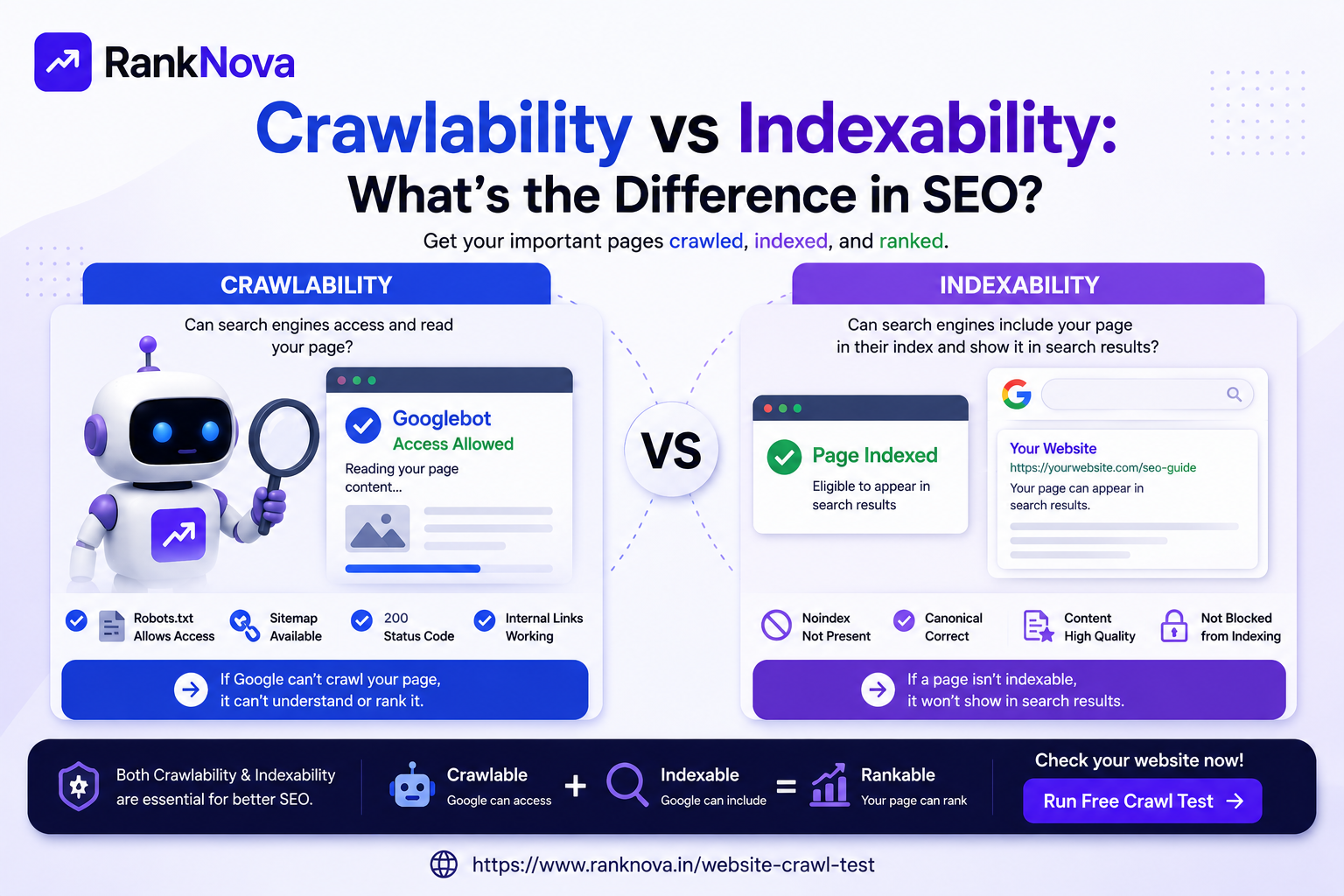
Crawlability and indexability are connected, but they are not the same.
Crawlability means Google can access and read your page.
Indexability means Google is allowed to store that page in its index and show it in search results.
For example:
- A page may be crawlable but blocked from indexing with a noindex tag.
- A page may be indexable in theory but not crawlable because robots.txt blocks it.
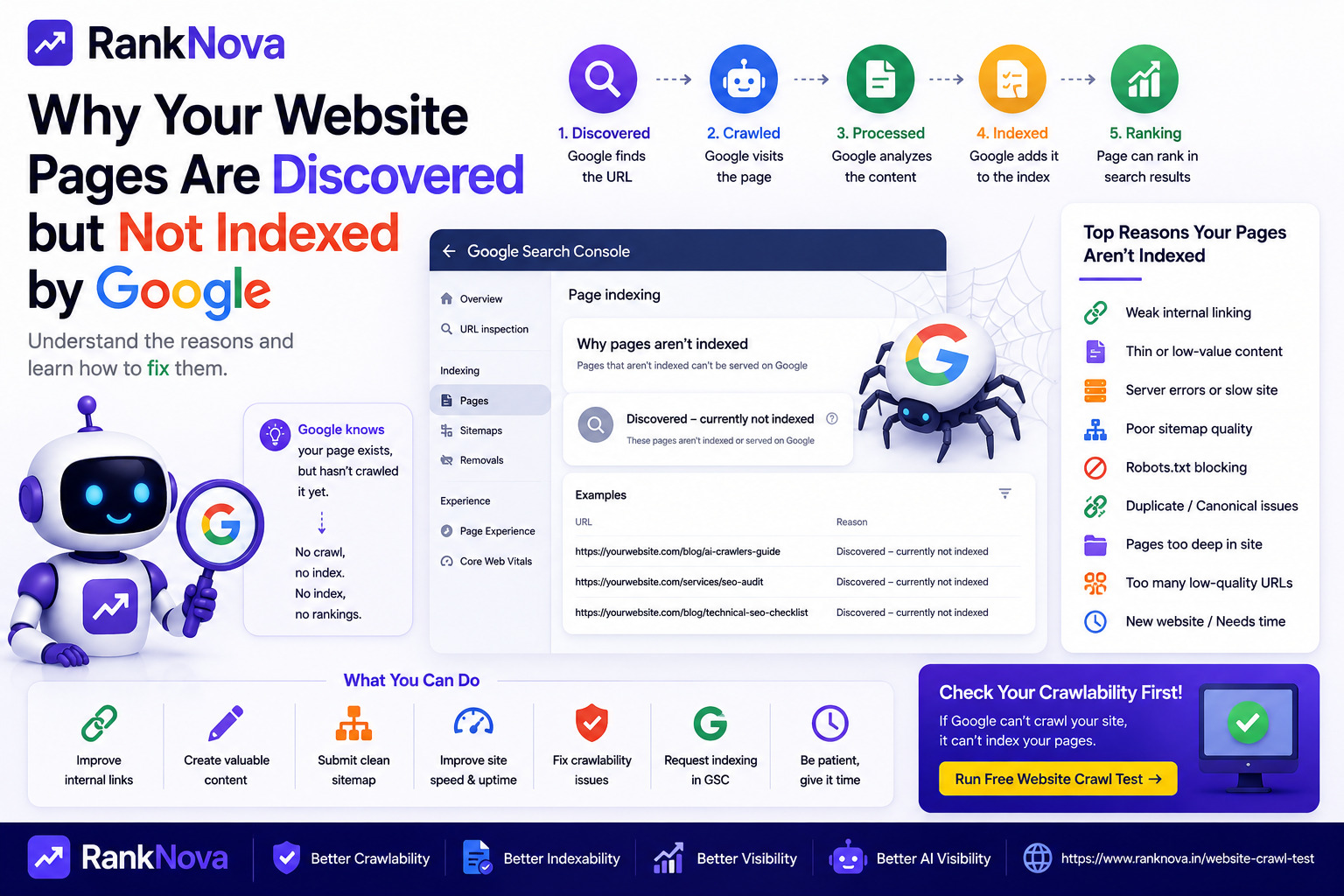
- A page may be crawlable but still not indexed because Google does not find it useful or important enough.
For SEO, your important pages should be both crawlable and indexable.
Why Google May Not Be Crawling Your Website
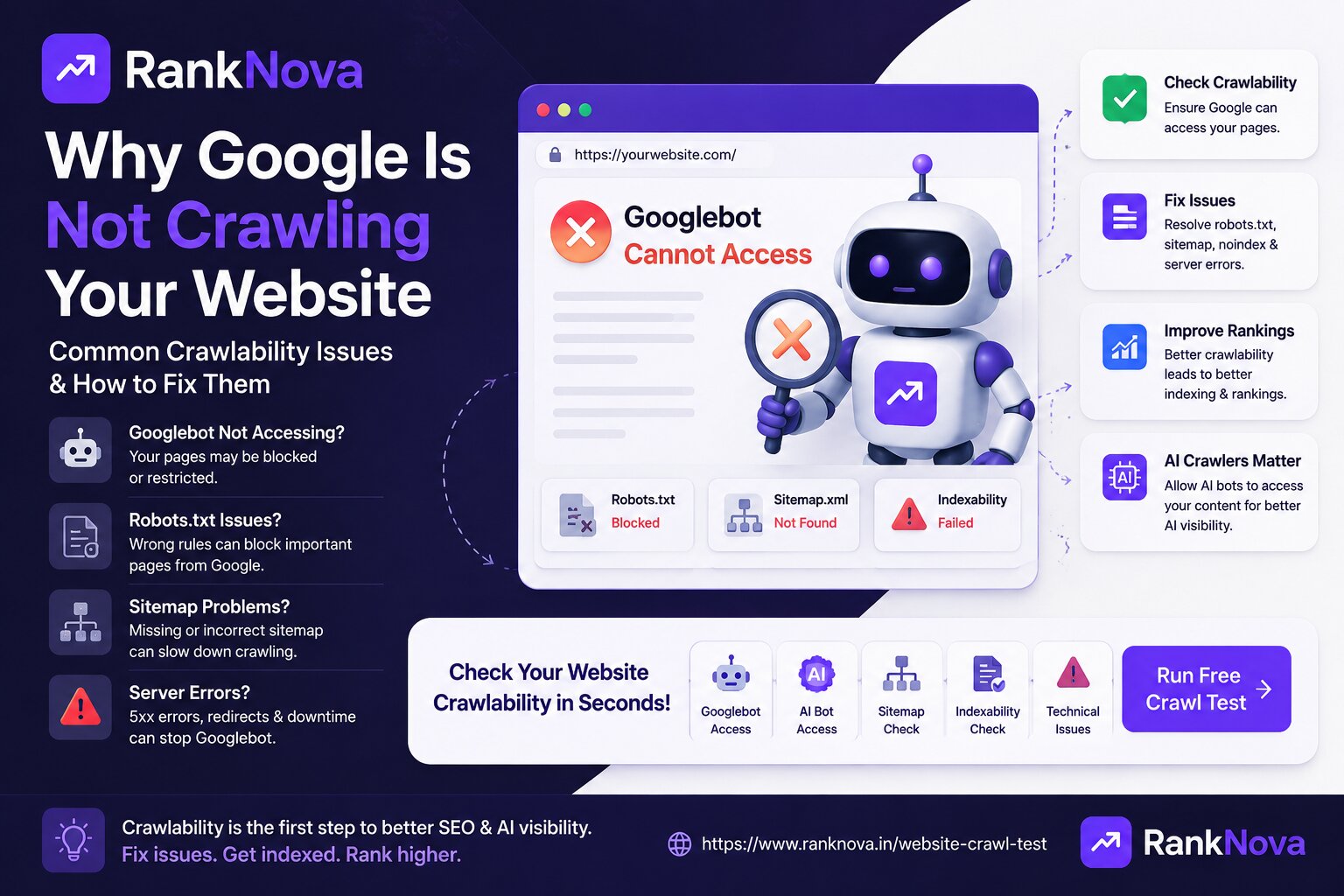
There are many reasons why Google may not crawl your website properly. Some are simple technical mistakes, while others are related to website quality, server performance, or site structure.
Here are the most common issues.
1. Robots.txt Is Blocking Googlebot
The robots.txt file tells search engine crawlers which parts of your website they can or cannot access.
It is usually located at:
https://yourdomain.com/robots.txt
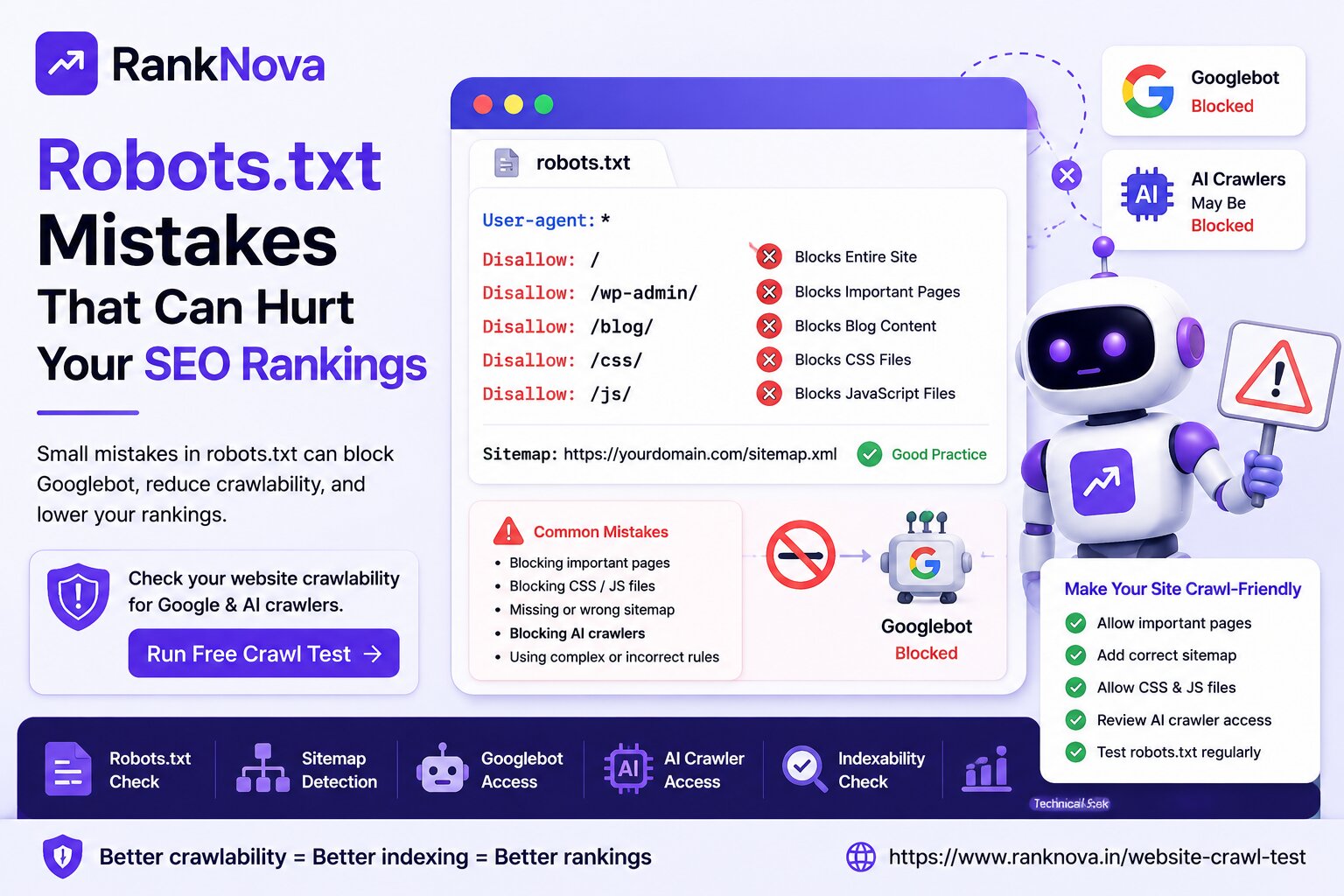
A wrong robots.txt rule can accidentally block important pages from Google.
For example:
User-agent: *
Disallow: /
This rule tells all crawlers not to crawl the entire website.
That can seriously damage your SEO visibility.
Common robots.txt mistakes include:
- Blocking the full website
- Blocking important service pages
- Blocking blog pages
- Blocking CSS or JavaScript files
- Blocking product or category pages
- Forgetting to add sitemap location
If your robots.txt file is wrong, Google may not access your important content.
2. Sitemap Is Missing or Incorrect
A sitemap helps search engines discover your important pages.
Usually, your sitemap is available at:
https://yourdomain.com/sitemap.xml
A sitemap does not guarantee indexing, but it helps Google understand which pages exist on your website.
Common sitemap issues include:
- Sitemap not found
- Sitemap has broken URLs
- Sitemap includes redirected pages
- Sitemap includes noindex pages
- Sitemap includes old deleted pages
- Sitemap is not added inside robots.txt
- Sitemap is not submitted in Google Search Console
If your sitemap is missing or outdated, Google may take longer to discover your pages.
3. Pages Have Noindex Tags
A noindex tag tells search engines not to include a page in search results.
Sometimes this tag is added intentionally for private or low-value pages. But many websites accidentally keep noindex tags on important pages.
This often happens after development or redesign work.
For example, during development, a website may be set to noindex. If the developer forgets to remove it after launch, Google may avoid indexing the site.
Important pages should not have a noindex tag unless you intentionally want to hide them from search results.
4. Website Has Server Errors
Googlebot needs a stable server response to crawl your website.
If your website returns errors, Google may reduce crawling or fail to access pages.
Common server problems include:
- 500 internal server errors
- 502 bad gateway errors
- 503 service unavailable errors
- Timeout issues
- DNS problems
- SSL certificate errors
- Hosting downtime
If your website is frequently down or slow to respond, Google may not crawl it efficiently.
A stable website is important for both SEO and user experience.
5. Website Loads Too Slowly
Page speed can affect how easily crawlers access your website.
If your website is very slow, Googlebot may crawl fewer pages during each visit.
Slow websites also create a poor user experience, which can affect SEO performance.
Common speed issues include:
- Heavy images
- Too many scripts
- Poor hosting
- Unoptimized code
- Large CSS files
- Too many third-party tools
- No caching
Improving page speed can help both search engines and users.
6. Internal Links Are Weak or Missing
Google discovers pages by following links.
If your important pages are not linked properly from your homepage, navigation, footer, blogs, or related pages, Google may have difficulty finding them.
This is especially common when websites publish blogs but do not link them to service pages.
Good internal linking helps Google understand:
- Which pages are important
- How topics are connected
- What your website is about
- Which pages should receive more authority
Every important page should be reachable through internal links.
7. Pages Are Blocked Behind Login or Forms
Google cannot crawl pages that require login access, form submission, or special user actions.
If important content is hidden behind a login wall, search engines may not be able to access it.
This is common in SaaS websites, dashboards, private pages, and gated content.
If you want a page to rank, make sure the important content is publicly accessible.
8. JavaScript Rendering Issues
Many modern websites use JavaScript frameworks like React, Next.js, Vue, or Angular.
Google can process JavaScript, but heavy JavaScript can still create crawling and rendering issues.
Problems may happen when:
- Content loads only after user interaction
- Important links are generated late by JavaScript
- Server-side rendering is missing
- Metadata is not properly rendered
- Pages show blank content before scripts load
For SEO pages, make sure important content, headings, links, and metadata are available in the rendered HTML.
9. Redirect Issues
Redirects are useful when moving pages, but poor redirect setup can create crawl problems.
Common redirect issues include:
- Redirect chains
- Redirect loops
- HTTP to HTTPS confusion
- WWW and non-WWW mismatch
- Old URLs redirecting to unrelated pages
- Internal links pointing to redirected URLs
Too many redirects can waste crawl budget and confuse search engines.
Important pages should use clean, direct URLs.
10. Website Has Poor Content Quality
Sometimes Google can crawl a website but chooses not to crawl or index many pages frequently because the content quality is weak.
This can happen when pages are:
- Thin
- Duplicate
- Auto-generated
- Low value
- Outdated
- Keyword-stuffed
- Missing clear purpose
Google wants to show helpful and reliable content.
If your website has many low-quality pages, Google may crawl it less efficiently.
11. New Website Has Not Been Discovered Yet
If your website is new, Google may not crawl it immediately.
To speed up discovery, you should:
- Add your website to Google Search Console
- Submit your sitemap
- Create internal links
- Get external links from trusted sources
- Publish useful content
- Make sure robots.txt is not blocking crawlers
New websites need clear signals to help Google find and trust them.
12. AI Crawlers May Also Be Blocked
Search is no longer limited to Google.
AI platforms and answer engines are also changing how users discover brands.
Your website may need to be accessible not only to Googlebot but also to AI-related crawlers such as:
- GPTBot
- ChatGPT-User
- ClaudeBot
- PerplexityBot
- Google-Extended
- Bingbot
If your website blocks AI crawlers, your content may have less chance of being used or discovered in AI-powered search experiences.
This is why modern crawl testing should check both search engine crawlers and AI crawlers.
How to Check If Google Can Crawl Your Website
You can check crawlability manually by reviewing:
- Robots.txt file
- Sitemap.xml file
- Meta robots tags
- Canonical tags
- HTTP status codes
- Internal links
- Google Search Console crawl reports
- Server errors
- Page speed
- Rendered HTML
But doing this manually can take time.
That is why RankNova provides a free Website Crawl Test.
Use RankNova’s Free Website Crawl Test
RankNova’s Website Crawl Test helps you quickly check whether your website has crawlability issues.
It can help identify important signals like:
- Robots.txt availability
- Sitemap detection
- Googlebot access
- Bingbot access
- AI crawler access
- Indexability signals
- Technical SEO warnings
- Crawl blocking risks
This gives you a quick understanding of whether your website is accessible to search engines and AI crawlers.
You can test your website here:
https://www.ranknova.in/website-crawl-test
What to Do If Google Is Not Crawling Your Website
If Google is not crawling your website properly, start with these steps:
1. Check robots.txt
Make sure you are not blocking important pages or the entire website.
2. Check sitemap.xml
Make sure your sitemap exists, is updated, and includes only important valid pages.
3. Remove accidental noindex tags
Review your important pages and confirm they are allowed to be indexed.
4. Fix server errors
Resolve downtime, timeout, SSL, and 5xx issues.
5. Improve page speed
Compress images, reduce scripts, use caching, and improve hosting performance.
6. Improve internal linking
Link important pages from your homepage, navigation, blogs, and related content.
7. Submit pages in Google Search Console
Use Google Search Console to submit your sitemap and inspect important URLs.
8. Improve content quality
Make sure your pages are useful, original, and aligned with search intent.
Final Thoughts
If Google is not crawling your website, your SEO growth will be limited.
Before focusing on rankings, backlinks, or content campaigns, make sure your website is technically accessible.
Crawlability is the first step of SEO.
And in the AI search era, crawlability is not only about Googlebot. Businesses also need to understand whether AI crawlers can access their content.
A technically clean, accessible, and well-structured website has a better chance of being discovered by search engines and AI-powered platforms.
Check Your Website Crawlability with RankNova
Want to know if Google and AI crawlers can access your website?
Run a free Website Crawl Test with RankNova.
Check robots.txt, sitemap, Googlebot access, AI crawler access, and technical SEO risks in seconds.
FAQ
Frequently Asked Questions
Quick answers pulled directly from this article for easier reading and better sharing previews.
Why is Google not crawling my website?
Google may not crawl your website because of robots.txt blocks, missing sitemap, noindex tags, server errors, slow loading speed, weak internal links, redirect problems, or poor content quality.
How do I check if Google can crawl my website?
You can check your robots.txt file, sitemap, meta robots tags, HTTP status codes, internal links, and Google Search Console reports. You can also use RankNova’s free Website Crawl Test to quickly check crawlability issues.
Can robots.txt stop Google from crawling my website?
Yes, robots.txt can block Googlebot from crawling specific pages or even the full website if the rules are configured incorrectly.
What is the difference between crawling and indexing?
Crawling means Google can access and read your page. Indexing means Google is allowed to store that page and show it in search results.
Why should I check AI crawler access?
AI crawler access matters because platforms and AI-powered search systems may use crawlers to understand web content. If AI crawlers are blocked, your content may have less visibility in AI-generated answers.
How can RankNova help with crawlability?
RankNova’s Website Crawl Test checks robots.txt, sitemap detection, Googlebot access, Bingbot access, AI crawler access, indexability signals, and technical SEO risks.