Crawlability vs Indexability: What’s the Difference in SEO?
Crawlability and indexability are two of the most important technical SEO concepts.
Many website owners use these words together, but they do not mean the same thing.
A page can be crawlable but not indexable.
A page can also be indexable in theory but not crawlable because search engines cannot access it.
If you want your website to rank on Google, both crawlability and indexability need to work properly.
In this guide, we will explain the difference between crawlability and indexability, why they matter, common issues, and how you can check your website using RankNova’s free Website Crawl Test.
What Is Crawlability?
Crawlability means search engine bots can access and read your website pages.
Google uses Googlebot to crawl websites.
When Googlebot visits your website, it checks your pages, follows links, reads content, understands structure, and sends information back to Google.
If Googlebot cannot access your page, Google may not understand or rank that page properly.
Crawlability depends on many technical factors, including:
- Robots.txt rules
- Server response
- Page speed
- Internal links
- Sitemap availability
- Redirect setup
- JavaScript rendering
- HTTP status codes
- Website architecture
Before a page can perform well in search, search engines must be able to crawl it.
What Is Indexability?
Indexability means search engines are allowed to store a page in their index and show it in search results.
Even if Google can crawl a page, it may not index it if there are signals telling Google not to include it.
For example, a page with a noindex tag can be crawled, but Google is instructed not to show it in search results.
Indexability depends on signals such as:
- Meta robots tag
- X-Robots-Tag header
- Canonical tag
- Duplicate content signals
- Content quality
- Page value
- HTTP status code
- Internal linking
- Search intent relevance
For SEO, your important pages should be both crawlable and indexable.
Crawlability vs Indexability: Simple Difference
The simplest way to understand the difference is this:
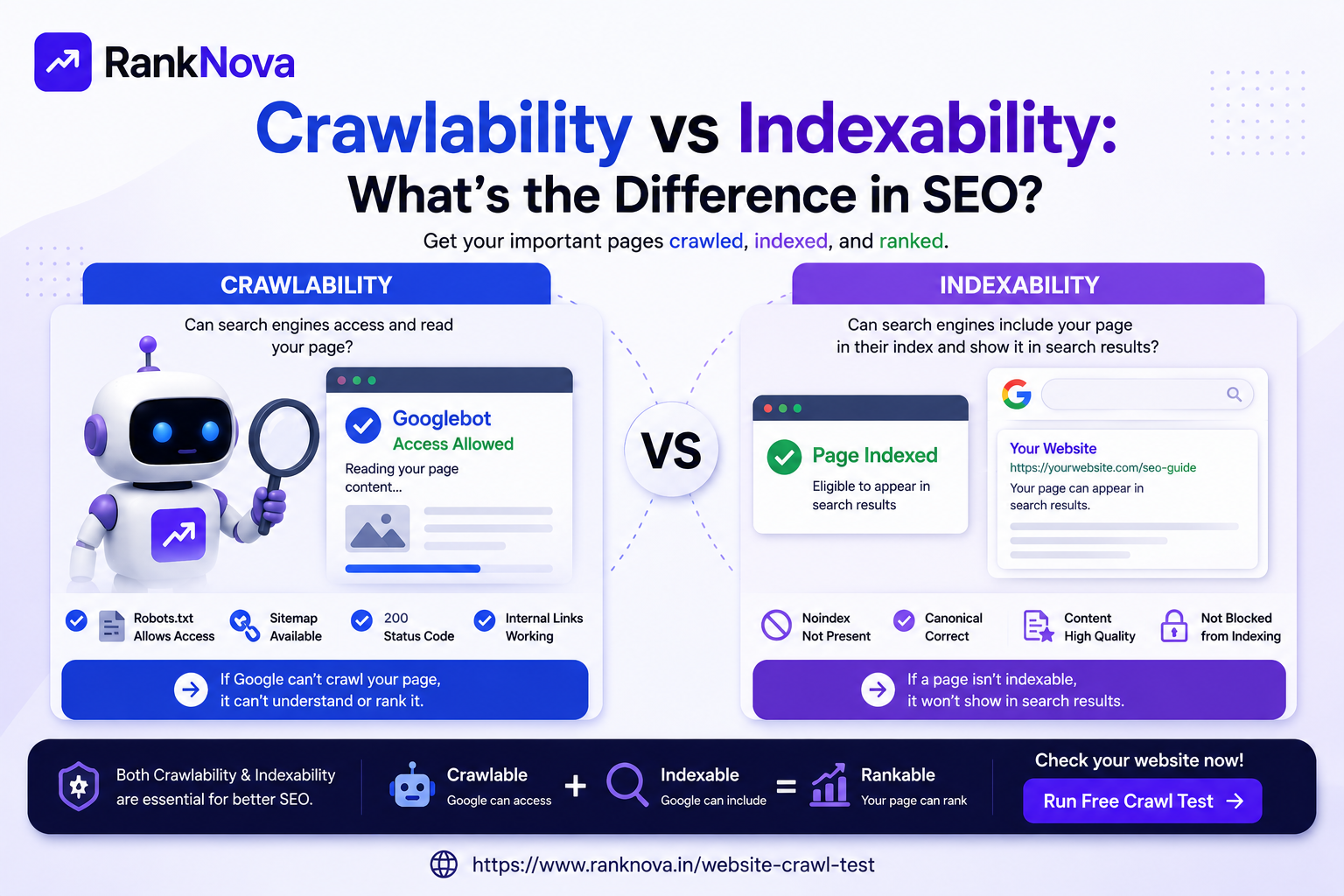
Crawlability means Google can access your page.
Indexability means Google can include your page in search results.
Here is a simple comparison:
Factor Crawlability Indexability Meaning Can search engines access the page? Can search engines store and show the page? Main issue Crawlers are blocked or cannot reach page Page is not allowed or selected for indexing Common cause Robots.txt, server errors, broken links Noindex tag, canonical issues, duplicate content SEO impact Google may not discover or read the page Google may not show the page in search results Main tool to check Crawl test, robots.txt, logs Google Search Console, meta robots, canonical tags Both are important for SEO visibility.
Example 1: Page Is Crawlable But Not Indexable
Imagine this page:
https://example.com/services/seo-audit
Googlebot can access the page, but the page has this tag:
<meta name="robots" content="noindex">
In this case, the page is crawlable because Google can access it.
But it is not indexable because the noindex tag tells Google not to show it in search results.
This often happens when developers forget to remove noindex tags after launching a website.
Example 2: Page Is Indexable But Not Crawlable
Now imagine another page:
https://example.com/blog/seo-guide
The page does not have a noindex tag. So in theory, it is indexable.
But robots.txt contains this rule:
User-agent: *
Disallow: /blog/
This blocks crawlers from accessing the blog folder.
So the page may be indexable in theory, but Google cannot crawl it properly.
This can stop Google from understanding the page content.
Example 3: Page Is Crawlable and Indexable
This is the ideal situation for important SEO pages.
A crawlable and indexable page:
- Is not blocked by robots.txt
- Does not have a noindex tag
- Returns a 200 status code
- Has useful content
- Has internal links pointing to it
- Is included in sitemap
- Has a clear canonical tag
- Loads properly for users and crawlers
These are the types of pages that have the best chance of being discovered, indexed, and ranked.
Why Crawlability Matters for SEO
Search engines cannot rank what they cannot crawl.
If Google cannot access your website pages, it may not discover new content or understand updates to existing pages.
Poor crawlability can affect:
- Organic rankings
- Page discovery
- Indexing speed
- Content updates
- Internal link discovery
- Technical SEO health
- AI crawler access
For large websites, crawlability also affects crawl efficiency. If crawlers waste time on broken pages, redirects, or duplicate URLs, they may spend less time on important pages.
Why Indexability Matters for SEO
Crawlability alone is not enough.
A page also needs to be indexable.
If a page is blocked from indexing, it may not appear in Google results even if Google can crawl it.
Indexability issues can affect:
- Search visibility
- Organic traffic
- Lead generation pages
- Blog performance
- Product visibility
- Category rankings
- Local SEO pages
A website may have many pages, but if important pages are not indexable, the website cannot reach its full SEO potential.
Common Crawlability Issues
Here are the most common crawlability problems.
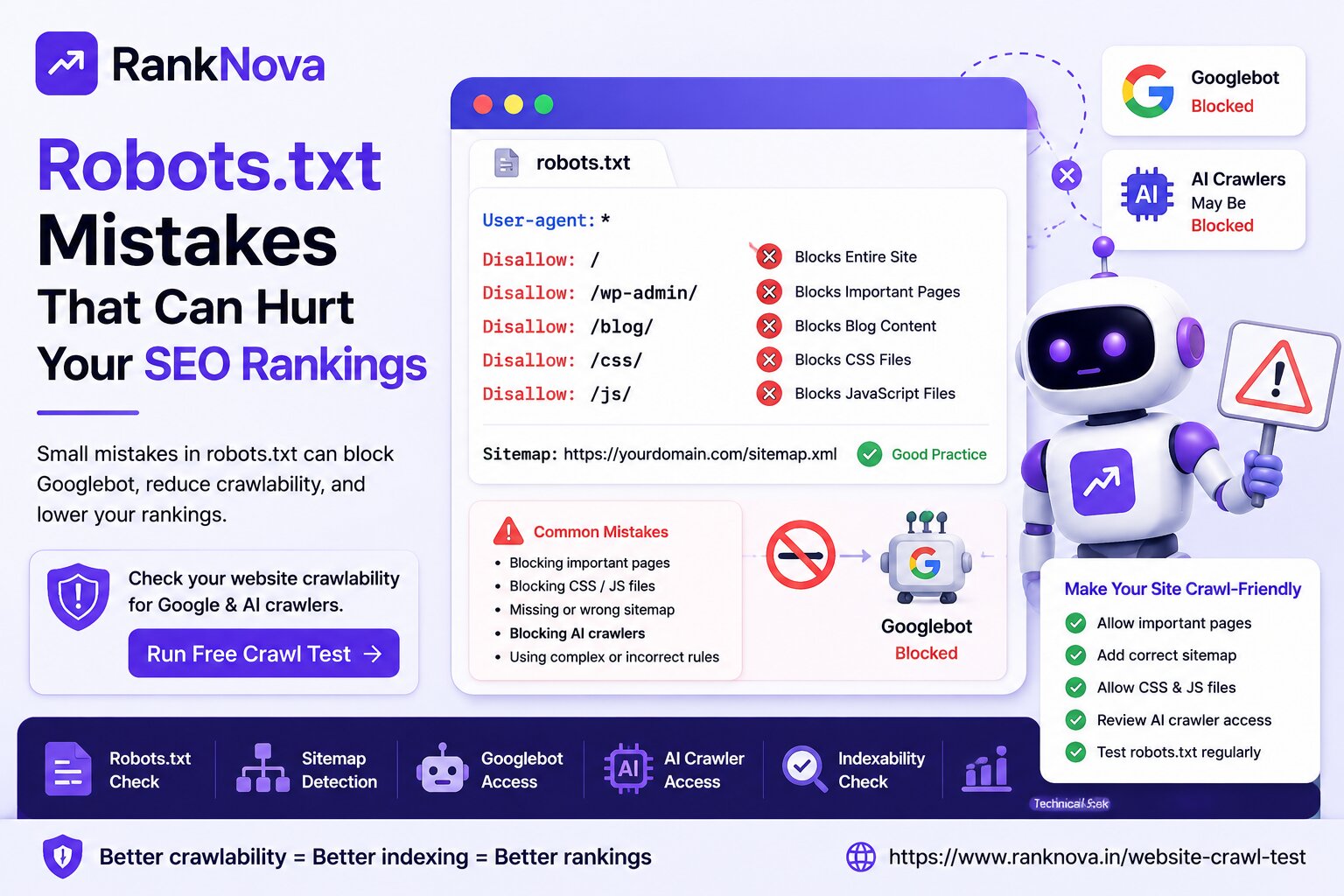
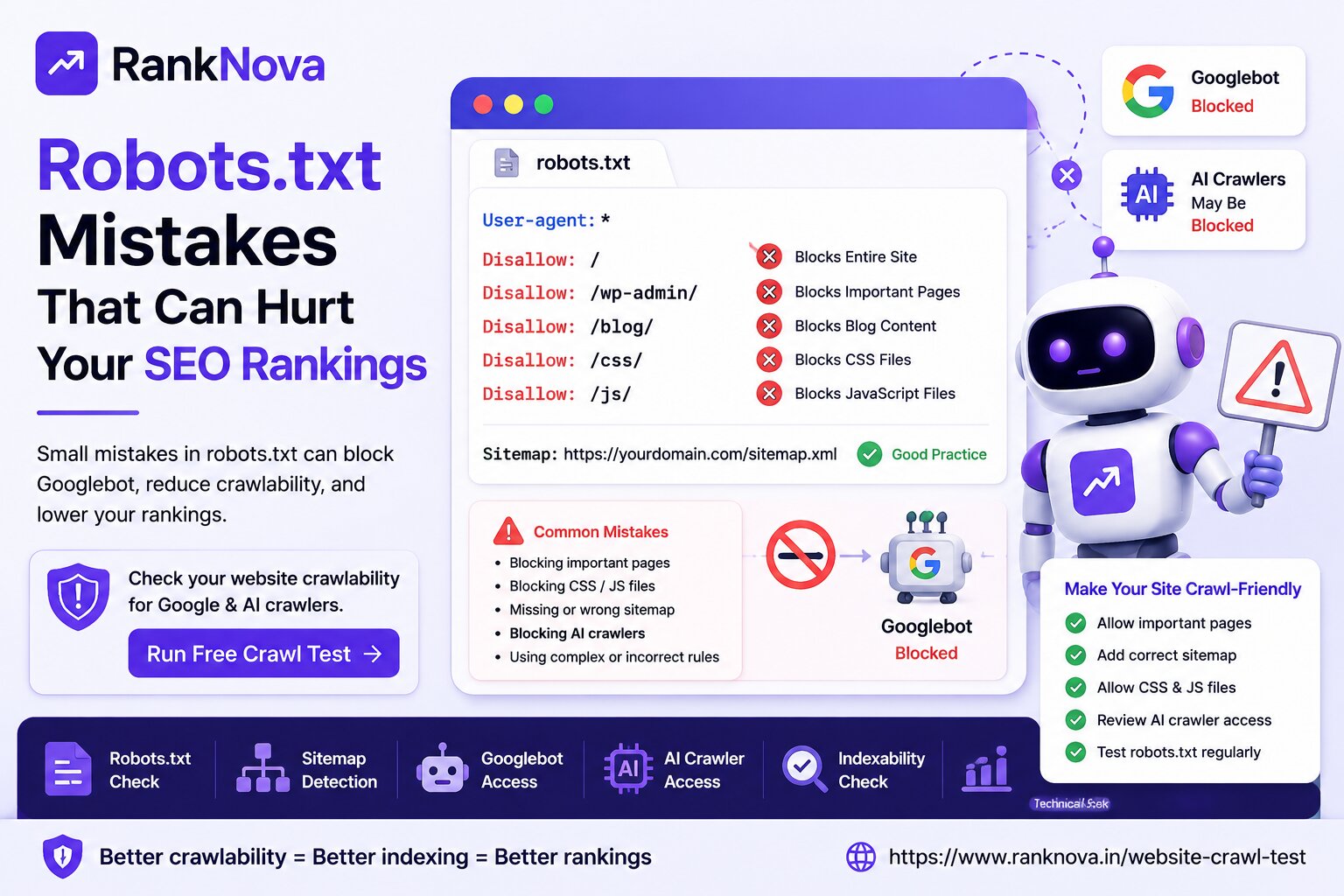
1. Robots.txt Blocking Important Pages
Robots.txt tells crawlers which pages or folders they can access.
A wrong rule can block important pages.
Example:
User-agent: *
Disallow: /
This blocks the entire website.
Another example:
Disallow: /blog/
This blocks blog content from being crawled.
2. Missing or Broken Sitemap
A sitemap helps crawlers discover your important pages.
If your sitemap is missing, outdated, or full of broken URLs, search engines may find it harder to understand your website structure.
Your sitemap should include important live URLs and should be added in robots.txt.
3. Server Errors
If your website returns 500, 502, 503, timeout, or DNS errors, crawlers may not access pages properly.
Frequent server errors can reduce crawl efficiency and affect SEO performance.
4. Broken Internal Links
Google discovers pages by following links.
If your important pages are not internally linked, crawlers may not find them easily.
A good internal linking structure helps search engines understand which pages matter most.
5. Redirect Chains and Loops
Redirects are common, but poor redirect setup can create crawl problems.
A redirect chain means one URL redirects to another, then another, and sometimes another.
A redirect loop means URLs keep redirecting to each other and never reach a final page.
Both can hurt crawlability.
6. JavaScript Rendering Issues
Modern websites often use JavaScript frameworks.
If important content or links are only loaded after JavaScript execution, crawlers may not understand the page properly.
For SEO pages, important content should be available in a crawler-friendly format.
Common Indexability Issues
Here are the most common indexability problems.
1. Noindex Tag on Important Pages
A noindex tag tells search engines not to include a page in search results.
Example:
<meta name="robots" content="noindex">
This is useful for private or low-value pages, but it should not be present on important SEO pages.
2. Wrong Canonical Tag
A canonical tag tells search engines which version of a page is the preferred version.
If a page points to the wrong canonical URL, Google may index a different page instead.
This can happen after migrations, duplicate content cleanup, or CMS changes.
3. Duplicate Content
If multiple pages have very similar content, Google may choose only one version to index.
Duplicate content can happen with:
- Product filters
- Tracking URLs
- Printer-friendly pages
- HTTP and HTTPS versions
- WWW and non-WWW versions
- Similar location pages
Unique and useful content improves indexability.
4. Low-Quality or Thin Content
Google may crawl a page but still choose not to index it if the page has little value.
Thin pages often have:
- Very little content
- Copied content
- No clear purpose
- Poor user value
- No original insight
- Weak structure
To improve indexability, make the page useful, specific, and aligned with user intent.
5. Soft 404 Pages
A soft 404 page looks like a normal page but provides no useful content or says the content is not available.
Google may treat these pages as not worth indexing.
Examples include empty category pages, expired product pages, or pages with only “not found” text but a 200 status code.
6. Blocked by X-Robots-Tag
The X-Robots-Tag is an HTTP header that can control indexing.
Sometimes it is configured at the server level and can block indexing without being visible in the page HTML.
This should be checked during technical SEO audits.
How Crawlability and Indexability Work Together
Crawlability and indexability are connected.
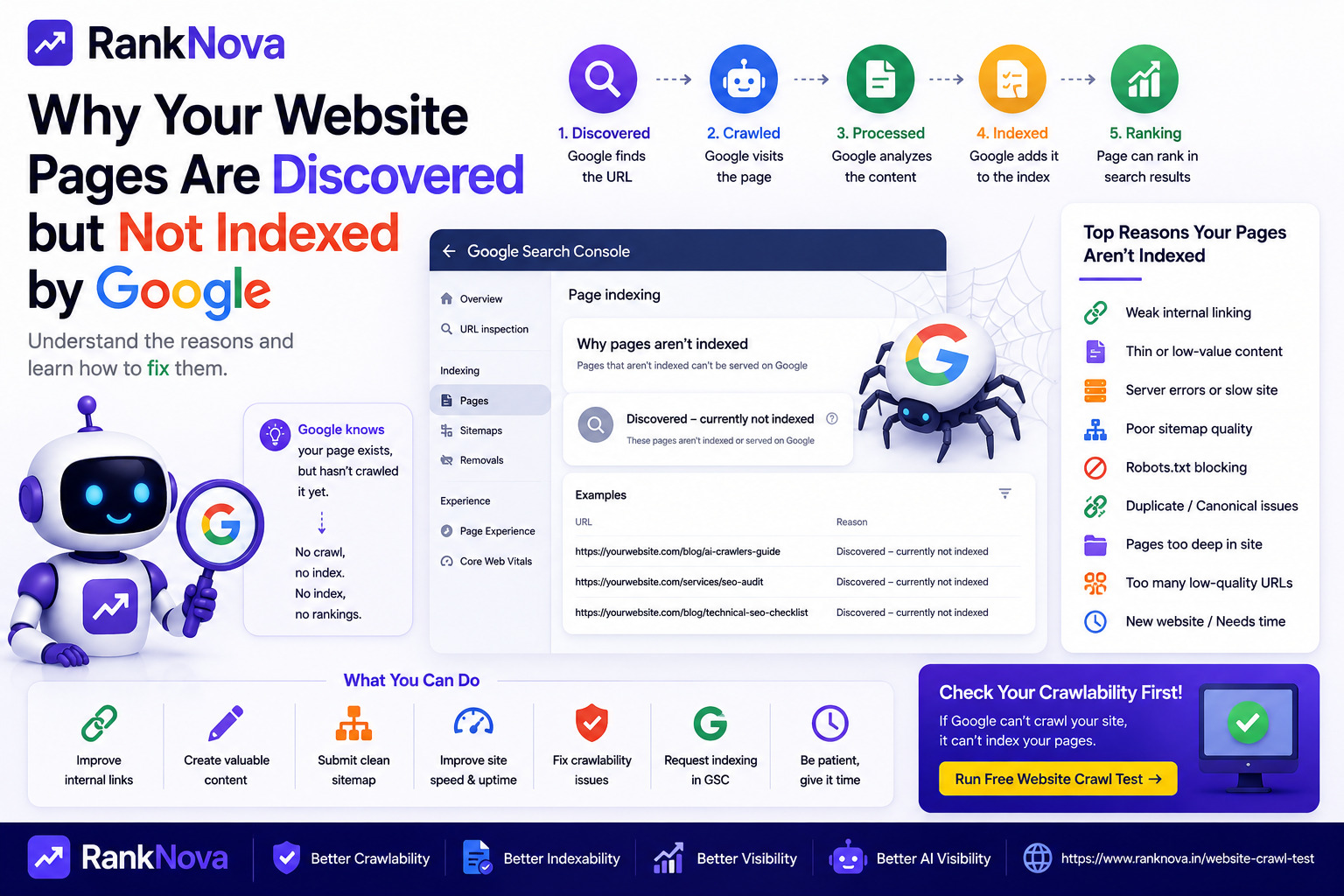
Search engines usually need to crawl a page before they can understand whether it should be indexed.
A strong SEO page should:
- Be accessible to crawlers
- Return a 200 status code
- Have no accidental noindex tag
- Have a correct canonical tag
- Be internally linked
- Be included in sitemap
- Provide useful content
- Match search intent
- Load properly on mobile and desktop
If any of these signals are broken, the page may struggle to appear in search results.
Crawlability, Indexability and AI Search
Search is changing with AI-powered discovery.
Today, businesses should not only think about Googlebot. They should also consider whether AI-related crawlers can access their public content.
AI crawler access can matter for visibility in platforms and experiences such as:
- ChatGPT
- Claude
- Perplexity
- Gemini
- Bing Copilot
- Google AI-powered search experiences
This does not mean every crawler should access everything.
Private pages, admin pages, checkout pages, and user dashboards should remain blocked.
But public pages like service pages, blog posts, FAQs, and case studies should usually be accessible if your goal is SEO and AI visibility.
How to Check Crawlability
To check crawlability, review these areas:
- Robots.txt file
- Sitemap.xml file
- HTTP status codes
- Server errors
- Redirect chains
- Broken internal links
- JavaScript rendering
- Page speed
- Googlebot access
- Bingbot access
- AI crawler access
You can also use RankNova’s free Website Crawl Test to quickly check crawlability signals.
How to Check Indexability
To check indexability, review these areas:
- Meta robots tag
- X-Robots-Tag header
- Canonical tag
- Google Search Console indexing report
- Duplicate content
- Content quality
- Internal linking
- Sitemap inclusion
- Mobile usability
- Page status code
Important SEO pages should not have accidental noindex or wrong canonical signals.
Use RankNova’s Free Website Crawl Test
RankNova’s Website Crawl Test helps you check whether your website is accessible to search engines and AI crawlers.
It can help identify:
- Robots.txt availability
- Sitemap detection
- Googlebot access
- Bingbot access
- AI crawler access
- Indexability signals
- Technical SEO warnings
- Crawl blocking risks
You can test your website here:
https://www.ranknova.in/website-crawl-test
Quick Checklist for Website Owners
Use this checklist to review important pages:
- Is the page blocked by robots.txt?
- Does the page return a 200 status code?
- Is the page included in sitemap?
- Is the page internally linked?
- Does the page have a noindex tag?
- Is the canonical tag correct?
- Is the content useful and original?
- Does the page load properly?
- Can Googlebot access the page?
- Can AI crawlers access public content?
If the answer is yes for crawlability and indexability checks, your page has a stronger technical foundation for SEO.
Final Thoughts
Crawlability and indexability are not the same, but both are essential for SEO.
Crawlability means search engines can access your page.
Indexability means search engines can include your page in search results.
If Google cannot crawl your page, it may not understand it.
If Google cannot index your page, it may not show it in search results.
For better SEO performance, your important pages should be both crawlable and indexable.
And in the AI search era, businesses should also review AI crawler access as part of their broader GEO strategy.
Check Crawlability and Indexability with RankNova
Want to know if Google and AI crawlers can access your website?
Run a free Website Crawl Test with RankNova.
Check robots.txt, sitemap, Googlebot access, AI crawler access, indexability signals, and technical SEO risks in seconds.
FAQ
Frequently Asked Questions
Quick answers pulled directly from this article for easier reading and better sharing previews.
What is crawlability in SEO?
Crawlability means search engine bots like Googlebot can access and read your website pages. If a page is not crawlable, Google may not understand or rank it properly.
What is indexability in SEO?
Indexability means search engines are allowed to store a page in their index and show it in search results. A page may be crawlable but not indexable if it has a noindex tag or other blocking signals.
What is the difference between crawlability and indexability?
Crawlability means Google can access the page. Indexability means Google can include the page in search results. Important SEO pages should be both crawlable and indexable.
Can a page be crawlable but not indexable?
Yes. For example, a page can be accessible to Googlebot but have a noindex tag, which tells Google not to show it in search results.
Can a page be indexable but not crawlable?
Yes. A page may not have a noindex tag, but if robots.txt blocks Googlebot from accessing it, Google may not be able to crawl and understand the page properly.
How can I check crawlability and indexability?
You can check robots.txt, sitemap, meta robots tags, canonical tags, HTTP status codes, internal links, and Google Search Console. You can also use RankNova’s free Website Crawl Test to check crawlability and technical SEO signals.