Robots.txt Mistakes That Can Hurt Your SEO Rankings
Robots.txt is a small file, but it can have a big impact on your website’s SEO performance.
A single wrong rule in robots.txt can stop Googlebot from crawling important pages. If Google cannot crawl your pages, it may not index or rank them properly.
Many website owners focus on keywords, backlinks, and content, but ignore robots.txt. This can become a serious technical SEO problem.
In this guide, we will explain what robots.txt does, the most common robots.txt mistakes, and how to check if your website is blocking Google or AI crawlers.
What Is Robots.txt?
Robots.txt is a file that gives crawling instructions to search engine bots.
It is usually available at:
https://yourdomain.com/robots.txt
Search engine crawlers like Googlebot, Bingbot, and other bots check this file before crawling your website.
The robots.txt file tells crawlers which parts of your website they are allowed or not allowed to crawl.
For example:
User-agent: *
Disallow: /admin/
This means all crawlers are not allowed to crawl the /admin/ section of the website.
Robots.txt is useful when you want to block private, duplicate, or low-value sections of your website from being crawled.
But when used incorrectly, it can hurt your SEO.
Why Robots.txt Matters for SEO
Google needs to crawl your website before it can understand and rank your pages.
If robots.txt blocks important pages, Google may not access them properly.
This can affect:
- Page discovery
- Indexing
- Organic rankings
- Crawl efficiency
- Sitemap discovery
- Technical SEO health
- AI crawler access
Robots.txt does not directly control rankings, but it controls crawler access. If important pages cannot be crawled, your SEO performance can suffer.
Common Robots.txt Mistakes That Hurt SEO
Here are the most common robots.txt mistakes businesses should avoid.
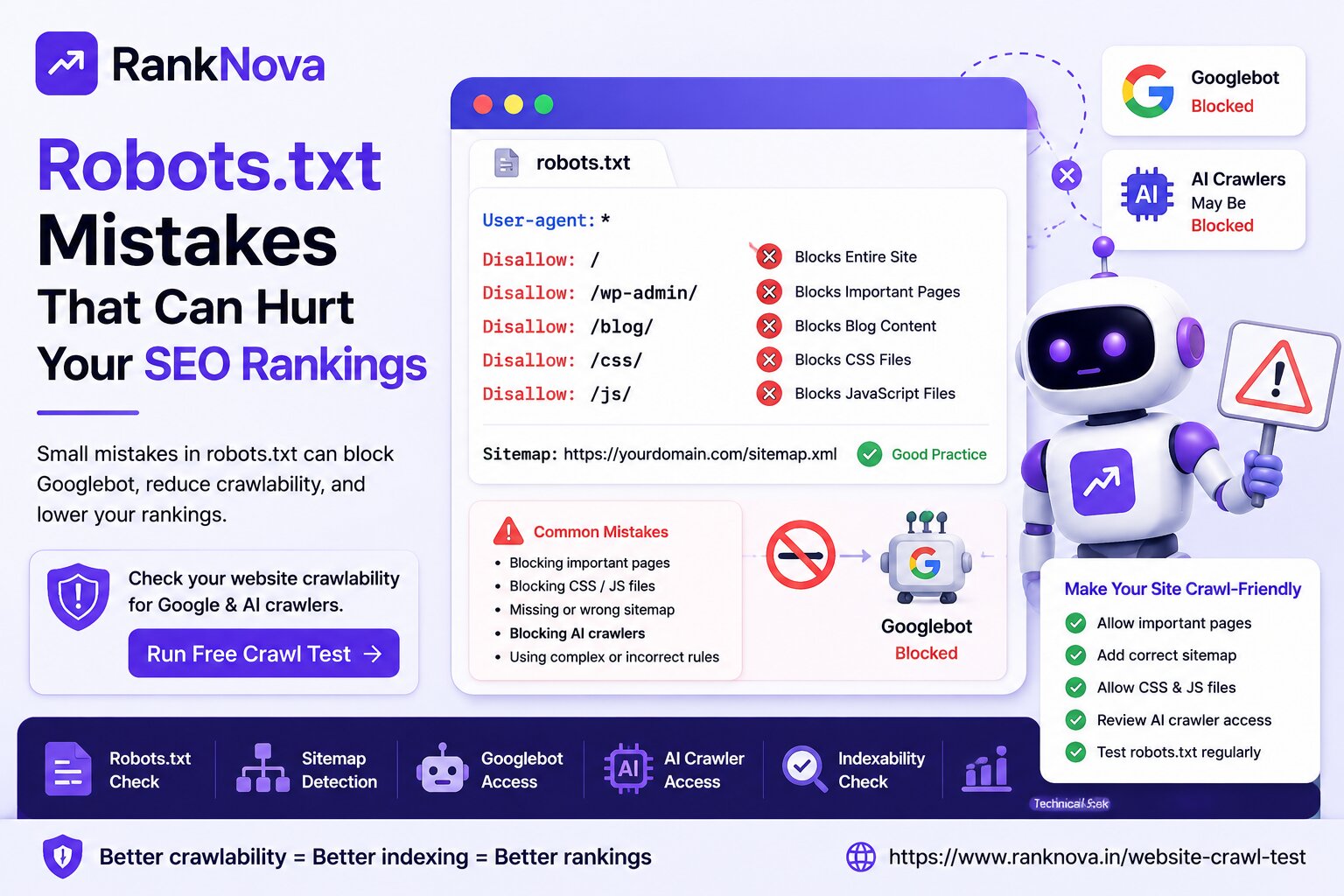
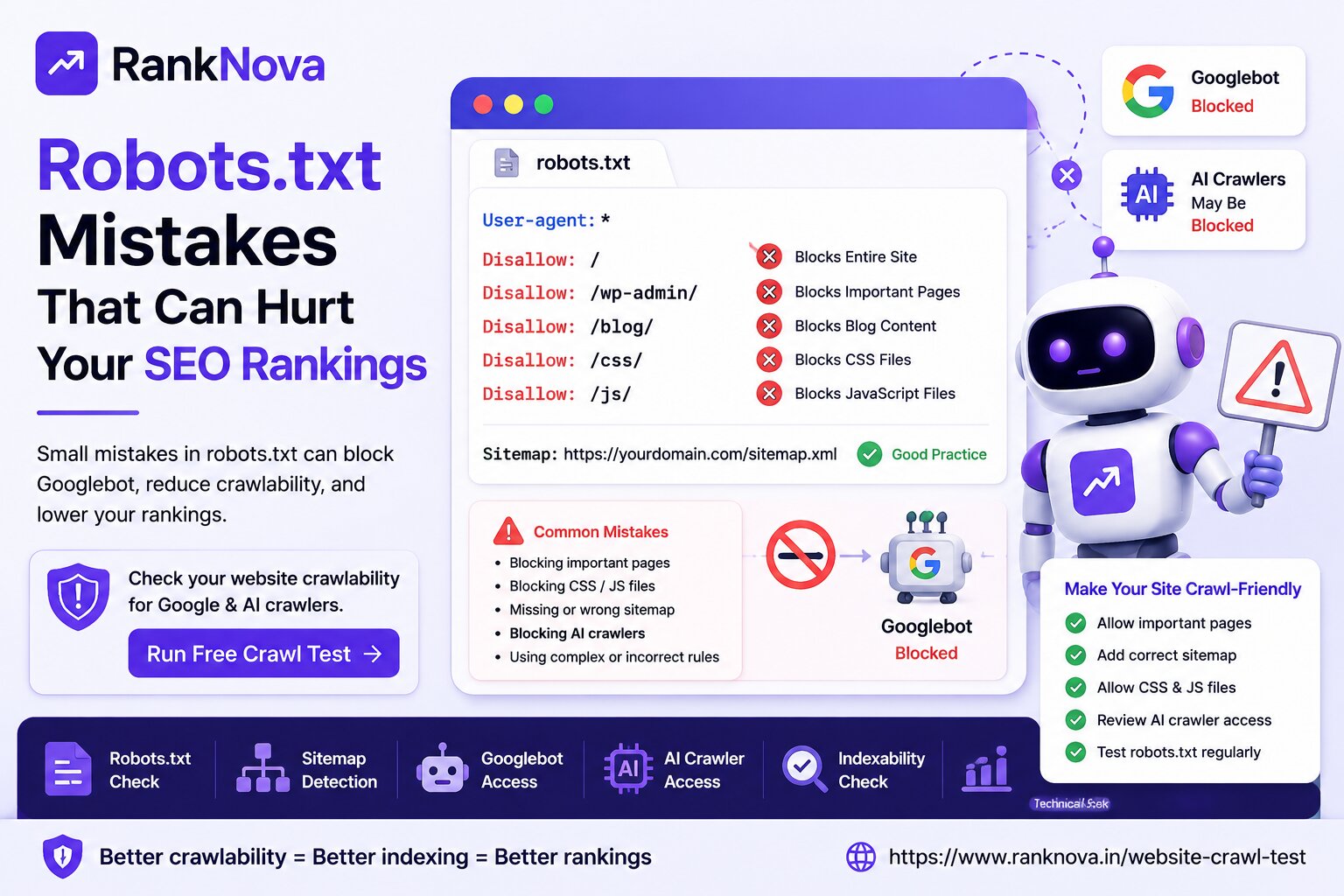
1. Blocking the Entire Website
This is one of the most serious robots.txt mistakes.
A rule like this can block your full website:
User-agent: *
Disallow: /
This tells all crawlers not to crawl any page on your website.
Sometimes this rule is added during development to stop search engines from crawling a staging website. But if developers forget to remove it after launch, the live website can remain blocked.
This can cause major SEO visibility loss.
Before launching any website, always check that robots.txt is not blocking the full domain.
2. Blocking Important Service Pages
Many businesses accidentally block important folders or URLs.
For example:
Disallow: /services/
If your main service pages are inside this folder, Googlebot may not crawl them.
This can hurt rankings for your money pages.
Important pages that should usually be crawlable include:
- Homepage
- Service pages
- Product pages
- Category pages
- Blog posts
- Location pages
- Contact page
- Case studies
Only block pages that you do not want crawlers to access.
3. Blocking Blog Content
Blogs help websites build topical authority and attract organic traffic.
But some websites accidentally block blog URLs using rules like:
Disallow: /blog/
This stops crawlers from accessing blog posts.
If your blog is blocked, your content marketing efforts may not produce SEO results.
For businesses investing in content SEO, blog pages should generally be crawlable and indexable.
4. Blocking CSS and JavaScript Files
Google needs to render your page properly to understand the layout, content, and user experience.
If robots.txt blocks CSS or JavaScript files, Google may not see your website the same way users do.
Example mistake:
Disallow: /assets/
Disallow: /js/
Disallow: /css/
If these folders contain files required for page rendering, it can create problems.
Modern websites often depend on JavaScript and CSS. Blocking these resources can make crawling and rendering more difficult.
5. Missing Sitemap URL in Robots.txt
Robots.txt can include your sitemap URL.
Example:
Sitemap: https://yourdomain.com/sitemap.xml
Adding the sitemap location helps crawlers discover your important URLs faster.
A missing sitemap line does not always break SEO, but it is a useful best practice.
Your robots.txt file should clearly include the correct sitemap URL.
6. Adding Wrong Sitemap URL
Sometimes websites include an incorrect sitemap URL in robots.txt.
For example:
Sitemap: https://yourdomain.com/old-sitemap.xml
If that sitemap no longer exists or contains outdated URLs, crawlers may receive confusing signals.
Common sitemap mistakes include:
- Sitemap URL returns 404
- Sitemap redirects too many times
- Sitemap contains old URLs
- Sitemap has staging URLs
- Sitemap includes noindex pages
- Sitemap includes broken links
Make sure your robots.txt points to the correct live sitemap.
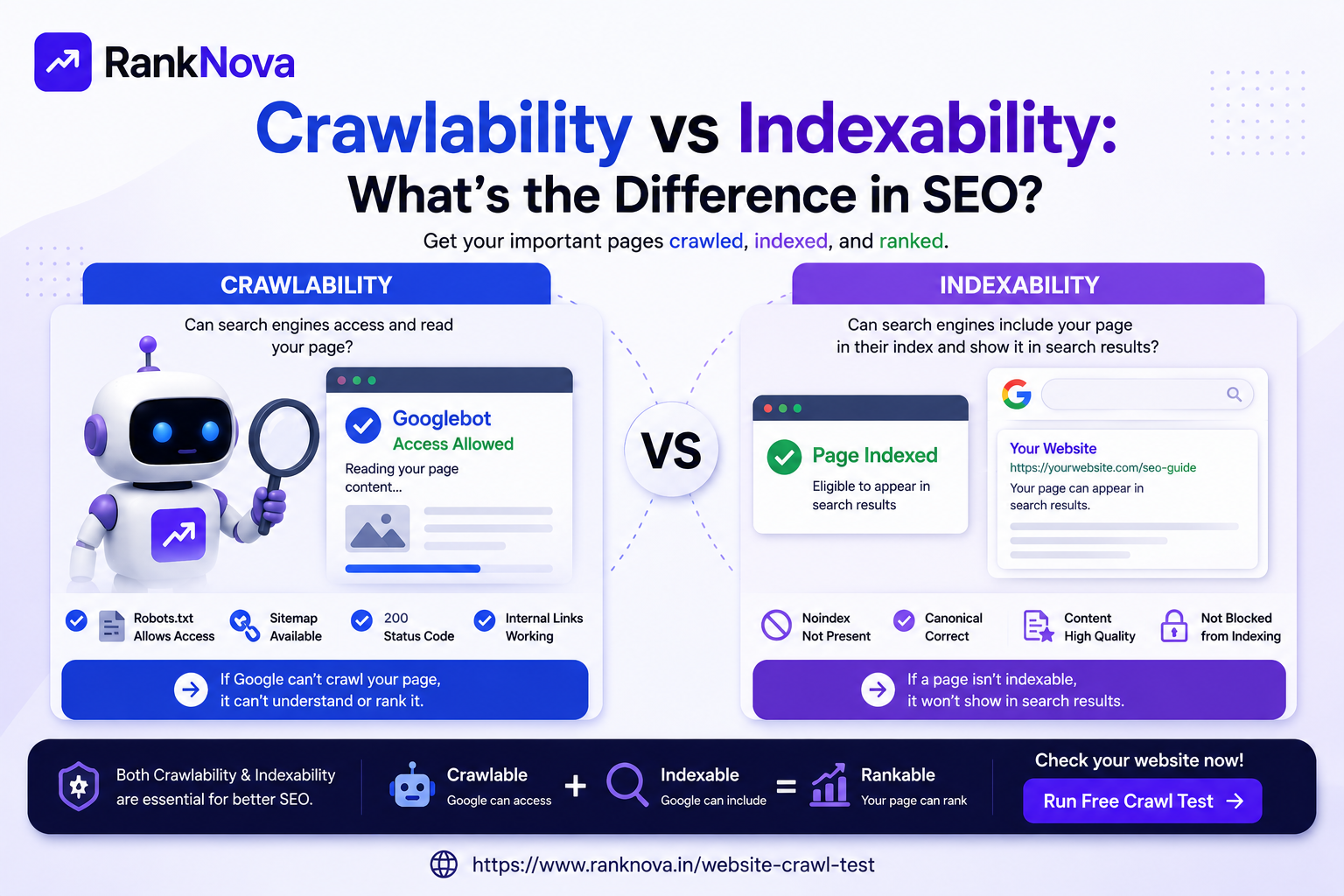
7. Confusing Disallow and Noindex
Robots.txt controls crawling, not indexing.
Many website owners think blocking a page in robots.txt will remove it from Google search results. That is not always true.
If Google discovers a blocked URL from external links, it may still show the URL in search results without crawling the content.
If you want to prevent a page from appearing in search results, use a noindex tag instead.
But remember: Google needs to crawl the page to see the noindex tag. So do not block a noindex page in robots.txt if you want Google to process the noindex instruction.
8. Blocking AI Crawlers Without Understanding the Impact
AI search is becoming more important.
Apart from Googlebot and Bingbot, many businesses are now checking access for AI-related crawlers such as:
- GPTBot
- ChatGPT-User
- ClaudeBot
- PerplexityBot
- Google-Extended
- Bingbot
Some websites block all bots without understanding the impact.
Example:
User-agent: *
Disallow: /
This may block both search engine crawlers and AI crawlers.
If your goal is to improve AI visibility and GEO, you should carefully decide which bots to allow or block.
Businesses should review AI crawler access as part of their modern SEO and GEO strategy.
9. Using Too Many Complex Rules
A robots.txt file should be simple and clear.
Too many complex rules can create confusion and increase the chance of mistakes.
For example, having many allow and disallow rules for the same folders can create unexpected behavior.
A cleaner robots.txt file is easier to manage and audit.
For most business websites, the robots.txt file should only block truly unnecessary areas such as:
- Admin pages
- Internal search pages
- Cart pages
- Checkout pages
- Private files
- Duplicate filter URLs
10. Blocking Important URLs During Website Redesign
Website redesigns often create robots.txt issues.
During development, teams may block the staging website from search engines. That is normal.
But after migration, they sometimes accidentally push the staging robots.txt file to the live website.
This can block important live pages.
Before and after a website redesign, always check:
- Robots.txt rules
- Sitemap URL
- Noindex tags
- Canonical tags
- Redirects
- Google Search Console coverage
- Important page crawlability
A post-launch crawlability check is essential.
11. Blocking Parameter URLs Incorrectly
E-commerce and large websites often use URL parameters for filters, sorting, and tracking.
Example:
?sort=price
?color=blue
?utm_source=linkedin
Blocking some parameter URLs can be useful, but blocking them incorrectly can also stop Google from accessing important category or product pages.
Before blocking parameter URLs, understand how your website structure works.
Wrong parameter blocking can reduce discoverability and internal linking value.
12. Not Testing Robots.txt After Changes
Many SEO issues happen because robots.txt changes are made without testing.
After every robots.txt update, check whether important pages are still crawlable.
You should test:
- Homepage
- Main service pages
- Product pages
- Category pages
- Blog pages
- Sitemap URL
- Important landing pages
A small robots.txt change can affect a large part of your website.
Example of a Basic SEO-Friendly Robots.txt File
Here is a simple example for a normal business website:
User-agent: *
Disallow: /admin/
Disallow: /login/
Disallow: /checkout/
Sitemap: https://yourdomain.com/sitemap.xml
This allows crawlers to access public pages while blocking private or unnecessary sections.
Your actual robots.txt file may be different depending on your website type, CMS, and business needs.
How to Check Your Robots.txt File
You can manually check your robots.txt file by visiting:
https://yourdomain.com/robots.txt
Then review:
- Is the file available?
- Is Googlebot allowed?
- Are important pages blocked?
- Is the sitemap URL included?
- Are AI crawlers allowed or blocked?
- Are there unnecessary complex rules?
- Are CSS and JS files accessible?
You can also use RankNova’s free Website Crawl Test to quickly check crawlability signals.
Use RankNova’s Free Website Crawl Test
RankNova’s Website Crawl Test helps you check whether your website is accessible to search engines and AI crawlers.
It can help identify:
- Robots.txt availability
- Googlebot access
- Bingbot access
- Sitemap detection
- AI crawler access
- Indexability signals
- Technical SEO warnings
- Crawl blocking risks
You can test your website here:
https://www.ranknova.in/website-crawl-test
How to Fix Robots.txt Mistakes
If your robots.txt file has issues, follow these steps:
1. Remove Full Website Blocking
Make sure your live website does not contain:
Disallow: /
unless you intentionally want to block the entire website.
2. Allow Important Pages
Check that service pages, blog posts, product pages, and category pages are crawlable.
3. Add Correct Sitemap URL
Add your live sitemap URL inside robots.txt.
Example:
Sitemap: https://yourdomain.com/sitemap.xml
4. Avoid Blocking CSS and JavaScript
Make sure Google can access important resources needed to render your website.
5. Review AI Crawler Rules
If AI visibility matters to your business, review whether AI crawlers are being blocked.
6. Test After Every Change
After editing robots.txt, test your important pages again.
Final Thoughts
Robots.txt is one of the simplest SEO files, but it can create serious crawlability problems if misconfigured.
A wrong robots.txt rule can block Googlebot, prevent important pages from being crawled, and reduce your SEO visibility.
In the AI search era, robots.txt also matters for AI crawler access and GEO visibility.
Businesses should regularly check robots.txt, sitemap signals, Googlebot access, and AI crawler access to avoid hidden technical SEO problems.
Check Your Robots.txt and Crawlability with RankNova
Want to know if your website is blocking Google or AI crawlers?
Run a free Website Crawl Test with RankNova.
Check robots.txt, sitemap, Googlebot access, AI crawler access, indexability signals, and technical SEO risks in seconds.
FAQ
Frequently Asked Questions
Quick answers pulled directly from this article for easier reading and better sharing previews.
What is robots.txt in SEO?
Robots.txt is a file that tells search engine crawlers which pages or sections of a website they are allowed or not allowed to crawl.
Can robots.txt hurt SEO?
Yes, robots.txt can hurt SEO if it blocks important pages, blog posts, product pages, CSS, JavaScript, or the entire website from being crawled by Googlebot.
Should I add sitemap in robots.txt?
Yes, adding your sitemap URL in robots.txt is a good practice because it helps crawlers discover your important pages more easily.
What happens if I block Googlebot in robots.txt?
If you block Googlebot, Google may not crawl your pages properly. This can affect page discovery, indexing, and organic search visibility.
Does robots.txt control indexing?
Robots.txt controls crawling, not indexing. If you want to prevent a page from appearing in search results, use a noindex tag instead.
How can I check if my robots.txt is correct?
You can visit your robots.txt URL manually or use RankNova’s Website Crawl Test to check robots.txt availability, Googlebot access, sitemap detection, AI crawler access, and technical SEO risks.